The Dashboard One
L4OB03L Ocean Blue 4 Seat Touchscreen Electric Golf Cart Rental Guide, Miramar Beach
Nobody has to hold the phone in this one. L4OB03L has a full infotainment screen and a wireless charging pad built into the dash, so the music, the map and the battery anxiety all live up front instead of in somebody's lap. Ocean blue, lifted, four seats, lithium, Florida tag DR43GD. Three things catch people out on this unit and they are all in the first two sections.
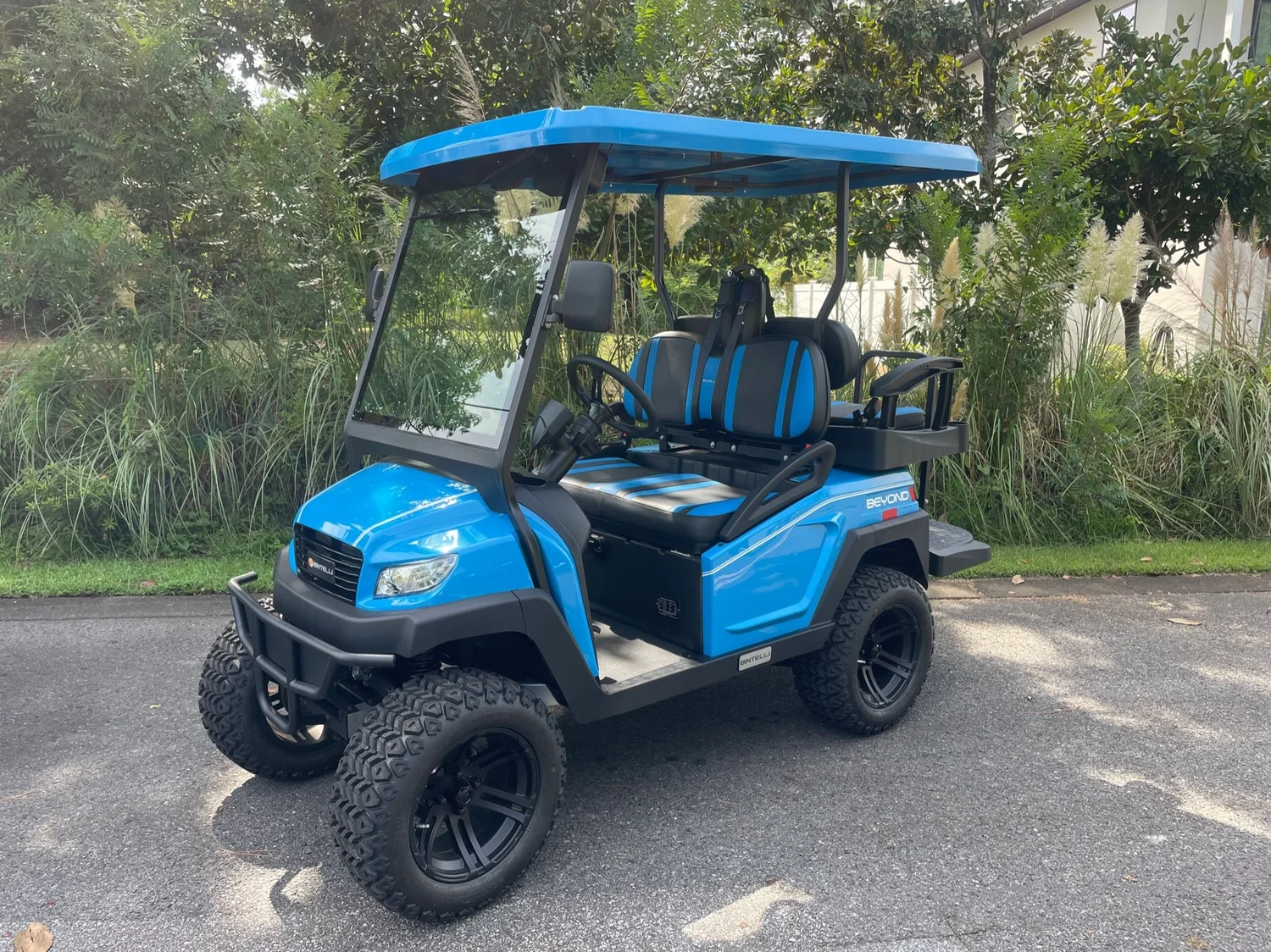
Unit L4OB03L. Give us the windshield number and we know exactly which one you are in.
The three things people get wrong on this one
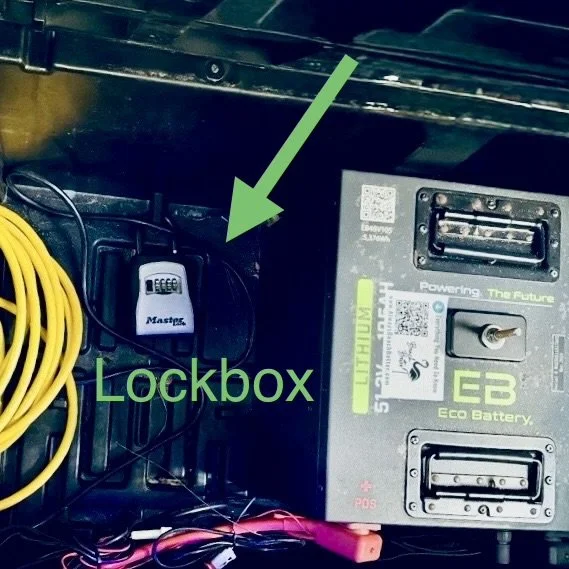
- The lockbox is under the front seat, on the floor by the battery. Lift the cushion once.
- The key turns twice. One click lights the dash and screen, two clicks makes it drive.
- The charging pad works only while the cart is on, and your phone leaves with you.
01
One Cushion And You Have The Key
The front seat cushion lifts straight up, and the black lockbox is sitting on the floor underneath it, right alongside the battery. One lift, one code, and you are holding the key.
- Lift the front seat cushion. The box is on the floor underneath, next to the battery.
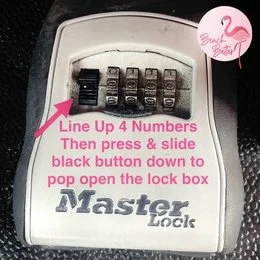
- Line up your four digits. Straight across. They park half a notch off more often than you would expect.
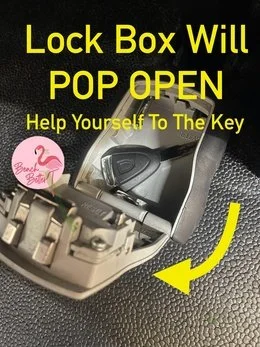
- Slide the black button down. The lid pops and the key is right there.
No code yet
Codes go to the primary driver by text and email when the rental starts, and by email again the evening before. Check spam first, then ask whoever booked the trip. We release codes only to drivers approved on the agreement, so a friend who is not listed cannot get one from us.
02
The Dash, And Why It Beats A Phone Mount
Turn the key to the first position and the dash and screen come up together. Give it a beat to boot before you decide something is broken. The screen handles audio and vehicle status, and the pad set into the dash charges a compatible phone with no cable at all. Lay it flat, it charges. That is the whole trick.
- The pad only works with the cart on. Key off means no charging, so a phone left on the pad overnight is a phone that did not charge.
- Your phone leaves with you. Every stop, no exceptions. This is an open vehicle with no lockable compartment, and a phone sitting on a lit dash pad is an advertisement.
- Cases matter. Thick cases, pop sockets and metal card wallets block wireless charging. If nothing happens, take the case off and try again before you text us.
- Hot phone, slow charge. A dash in Florida sun gets warm and phones throttle charging when they heat up. Not a fault.
- Screen frozen? Key fully off, count to five, key back on. That clears almost everything, and a dead screen never stops you driving.
A screen is not permission to look down
All phone and device use while this vehicle is in motion is prohibited, handheld and hands free, and the dash screen does not change that. Pick the playlist and the destination while parked. You are driving an open vehicle on roads full of people walking barefoot to the beach.
03
The Part We Will Not Skip
This is a licensed motor vehicle that weighs a fraction of what your car weighs. Every approved driver should read this before taking the wheel for the first time.
It tips rather than slides
Narrow track, light body, and this one is lifted, which raises the center of gravity further. The sideways force in a turn roughly quadruples when you double your speed. Rollovers trace back to three moves almost every time: taking a corner too fast, swerving suddenly to miss something, or catching a curb, a soft shoulder or sand in the middle of a turn. Brake before the corner, roll through it, straighten the wheel, then accelerate.
No airbags, no crumple zones, no doors, no roof cage. The seat belt is the entire safety system, and an unbelted rider can be thrown out in a stop a car would shrug off.
- Four seats, four belts, four riders. Children counted the same as adults. No laps, no standing, nobody on the back step while it moves, hands and feet inside.
- Approved drivers only. 22 or older, valid license, active auto insurance in their own name, listed and approved on the signed agreement before the rental began. Codes go to approved drivers only, and anyone else driving is prohibited use, which voids coverage and shifts responsibility to the renter.
- Car seats travel with you. Florida Statute 316.613 requires a child through age 3 in a separate carrier or an integrated child seat, and a booster does not satisfy it. A child aged 4 or 5 needs a carrier, an integrated seat, or a booster.
- Florida DUI law applies exactly as it does to a car. Choose the driver before dinner.
- Walk around it before the first drive. Tires, belts, lights, body. Text a photo of anything wrong to (850) 830-4699. If there is a crash: 911, stay at the scene, report it, then text us.
Where the full rules live
Fees, damage terms, prohibited uses and the cancellation policy are in your signed agreement and in the Terms, Conditions and Policies. Road law is on the Florida Golf Cart And LSV Laws page. This page is part of the Renter Guide your agreement references. It was sent to you in writing when you booked and again the day the rental began, and every approved driver is expected to read it before driving.
04
Pulling Away
- Belts on before the key goes in.
- Tow switch reads RUN, not TOW. Near the battery compartment under the seat, or on the passenger side by the glovebox. On TOW it is dead by design.
- Key twice to the right. One click for the dash and screen, two for the drive system.
- F or R at a complete stop. Never while it is still rolling.
- Ease onto the pedal. Electric torque is instant and silent, so give it the first block.
- Headlights, blinkers and horn. Use them on public roads the way you would in a car.
There is no park gear
The parking brake is the only thing holding it on a slope. Set it every time you step out, turn the wheels toward the curb on an incline, and take the key with you.
05
Two Charges To Keep Track Of
Your phone is the one on the dash pad. The vehicle is the one that matters. Plug the cart into a standard wall outlet every night, roughly eight hours from low to full, and any time it is parked at the house during the day. Expect about 20 to 22 miles from a full charge, less with four aboard and the glow system running all evening.
- Every night, even after a short run. Habit beats memory on vacation.
- One outlet per vehicle. Two on a single circuit trips the breaker overnight.
- Older place, clear the circuit. Unplug the coffee maker and the TV from that outlet first.
- Both cord ends glow when it is really charging. Dark ends mean a dead outlet, not a dead cart.
- The cord rides with the vehicle. Left at the condo, it becomes a $200 tow the first time you run low.

The round ECO gauge sits above the glovebox on the passenger side, and the screen shows battery status once the vehicle is on. Lithium reads honest through the whole pack, so trust the needle and check it before you leave for dinner rather than on the way home.
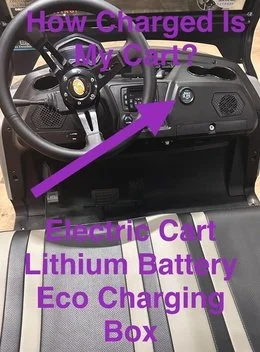
Home at 90 percent or better, plugged in
Standard on every electric we rent, and under 90 percent is a $100 charge. Lithium holds steady then drops away quickly at the bottom, so a low gauge is not spare range.
06
Sound And Glow
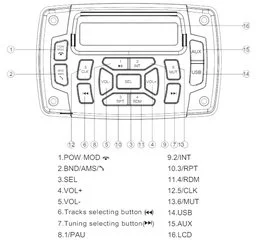
Pair through the screen, or open Bluetooth on your phone and pick this cart's speaker. Either way it stays paired for the week. Keep the volume where you can still hear a siren, a bike bell or somebody shouting, and bring it down through the neighborhoods after dark.
For the lights: dash lit first, then press Power on the small silver remote tethered to the dashboard. Mode runs solid, seven chase patterns, pulse, scan, strobe, fade, S.O.S and music or voice reactive modes. Color covers red, hot pink, pink, purple, orange, yellow, green, teal, blue, white and two cycling options. Speed has five levels.
Remote clicking and nothing glowing
Find the black switch with the blue indicator low on the dashboard and flip it ON, because that switch feeds the glow system. Still dark, confirm the dash itself is lit. Leave the other toggles where they are.
Underglow is decoration, not lighting. Headlights, tail lights and blinkers are what keep you legal and visible after sunset.
07
Legal Roads
L4OB03L is titled, tagged and insured as a Low Speed Vehicle under Florida Statute 320.01 and 49 C.F.R. 571.500, and Florida Statute 316.2122 puts it on public roads posted 35 mph or less. That means Scenic Gulf Drive through Miramar Beach and Destin, County Road 30A through Santa Rosa Beach, and the neighborhood streets between them. The orange lines on the map are your roads.

Never US-98 at any point, including crossing it anywhere other than a legal signalized intersection. Never sidewalks, beach walkovers, dune trails or the sand. Communities add their own rules on private roads and several along 30A and inside Sandestin do not allow rental vehicles at all, so check your address on the Neighborhood Rules page before you plan the day. Park in marked spaces only, never blocking a walkover, a bike lane, a crosswalk, a hydrant or a driveway.
08
The AirTag, Arrival And Return
Every vehicle carries an Apple AirTag that cannot be removed, which is how we find you quickly when you need help. If your phone flags an unknown AirTag traveling with you, that is ours, and the ID is L4OB03L, matching the windshield.
It arrives clean and charged by your start time, sometimes early, because drivers run a geographic route rather than the clock, which is how delivery stays free. Early is yours to use. If nobody is home we park it neatly to the side and keep moving.
- Charge to 90 percent or better and leave it plugged in. Under 90 is a $100 charge.
- Key back in the lockbox, digits scrambled. Cord back in the vehicle, phone off the pad.
- Text (850) 830-4699 when it is ready. We come at the end of the rental or shortly after, depending on the route.
Charges worth dodging: lost key or remote $50, missing cord $50, stranded tow $200, late return $100 an hour, and any citation passed through plus a $35 admin fee. The rest is in the Terms.
09
When It Sulks
Will not charge
Cord ends dark, go to the breaker. A tripped GFI is nearly always the answer. Reset, replug, look for the glow. Still nothing, unplug for thirty seconds and try again. Two vehicles at the house means two separate circuits.
Will not start or move
Tow switch on RUN, key twice right, parking brake released, selector fully in F or R. Work that list before you text.
Screen dark, or the pad is not charging
Screen: key fully off, five seconds, key back on. Pad: the cart has to be on, the phone has to be flat and centered, and a thick case or a metal card holder will block it. Neither one stops you driving.
Photo first, paragraph second
Nine times out of ten a quick picture or a ten second video solves it on the spot, and it is the first thing we will ask for anyway.
10
Questions About This One
How does the wireless charging pad in a golf cart work?
Lay a compatible phone flat and centered on the pad built into the dash and it charges without a cable, any time the vehicle is switched on. Turn the key off and the pad stops. Thick cases, pop sockets and metal card wallets block it, so if nothing happens take the case off before assuming it is broken.
Why is my phone charging slowly on the dash pad?
Heat. A dash in direct Florida sun gets hot, and phones deliberately slow or pause charging when they warm up. Park in shade where you can, and expect a slower charge in the middle of the afternoon. It is not a fault with the pad.
Where is the lockbox on L4OB03L?
Under the front seat, on the floor beside the battery. The cushion lifts straight up and the box is right there. A few units in our fleet keep theirs on the passenger side floorboard instead, so trust this page over the last cart you rented from us.
Can I leave my phone in the golf cart while I go to the beach?
No. There is no lockable compartment in an open vehicle, and theft from unattended carts is common in tourist areas along the Emerald Coast. Take the phone, the bags and the key every time you park, and stolen personal property is not covered by the rental agreement.
Is L4OB03L street legal in Florida?
Yes. It is a Low Speed Vehicle under Florida Statute 320.01 and 49 C.F.R. 571.500, carrying Florida plate DR43GD, a VIN, a title, current registration and insurance. Florida Statute 316.2122 permits it on public roads posted 35 mph or less. It is never permitted on US-98.
How many people can ride, and who can drive?
Four people, one per seat with a belt each, children included. Drivers must be 22 or older with a valid license, active auto insurance in their own name, and be listed and approved on the signed rental agreement before the rental begins. Two drivers are included and each additional driver is $15, approved online in advance.
Coverage and signatures
An unapproved driver at the wheel is prohibited use, which voids coverage and moves responsibility to the renter. Approved drivers carry their own active auto insurance, and Florida Statute 627.7263 makes that policy primary for the limits state law requires. The agreement is signed electronically under Florida Statute 668.004, which carries the same weight as ink on paper. Optional Renter's Collision Protection runs $39.50 per driver per day with a $500 deductible, on the Renter's Collision Protection page, and everything else lives in the Terms, Conditions and Policies.
 Add On
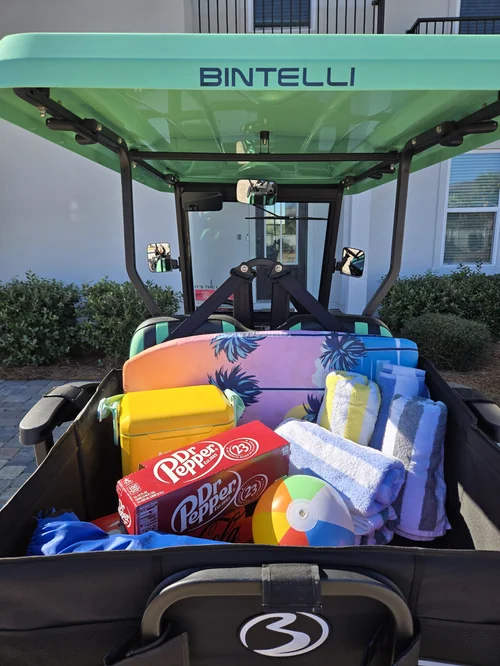
Add A Storage Box
The dash handles the phone. The storage box handles the towels, cooler and chairs, and it locks.
Add Storage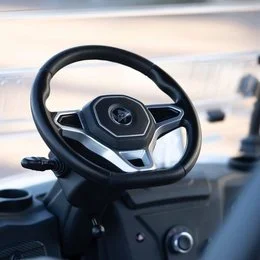 Add On
Add A Driver
Two are included. Anyone else is $15 and e-signs online before they take the wheel.
Add DriverText (850) 830-4699 with any question before you drive. We are at 76 N Holiday Rd, Miramar Beach, FL 32550, next to the Cumberland gas station, and at Rentals@alwaysbeachbetter.com.