RZ50 Luxury Lifted Red 6-Seat Gas-Powered Golf Cart
Powerful lifted red 6-seat E-Z-GO gas-powered LSV with party lights and premium Bluetooth sound. Licensed for public roads throughout Okaloosa and Walton Counties for spirited full-family coastal road trips with no charging required.
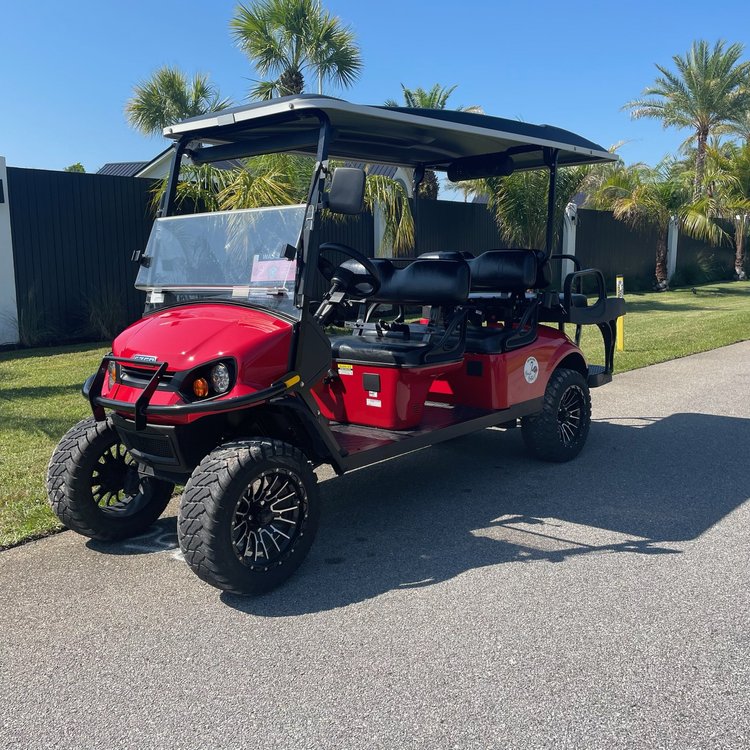
Unit RZ50. Match the windshield number before you unlock anything.
01
Getting the cart key
Lockbox Codes
Lockbox codes are sent only to authorized, approved drivers. If you don't have a code, contact your group's primary driver, not Beach Better.
Primary drivers: your code was texted and emailed when the rental began, plus emailed again the evening before. Check spam if you don't see it.
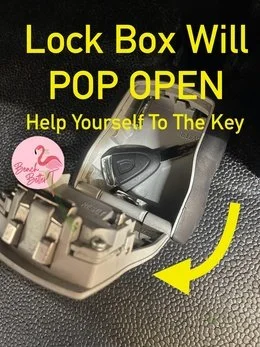
- Look above the gas tank. Lift up the middle row seat. The lockbox sits in front of the gas tank, in the same compartment.
- Enter the 4-digit code. Line up the digits, then slide the black button downward. The lockbox pops open and your key is inside.


02
Refueling your cart
This is a gas-powered E-Z-GO cart, no charging required. Use 87 regular unleaded fuel only. The gas tank is located under the middle row seat on the passenger side. Fuel up at any standard gas station along the route, the same way you'd fuel a car.
03
Night drive glow lights
Light up your evening drives with the party glow system. Power up the cart first (key in ignition until the dashboard lights up), then locate the small silver remote control attached by cord to your dashboard. Press the Power button to activate.
Remote control
Mode cycles through lighting effects: solid illumination, 7 running modes, pulse, scan, strobe, fade, S.O.S, music modes, and voice modes. Color selects from red, hot pink, pink, purple, orange, yellow, green, teal, blue, white, color cycle, and color fade. Speed adjusts effect speed across 5 levels.
04
Bluetooth speakers
Turn the key to 'on'. Open your phone's Bluetooth menu and select your cart's speaker. Once paired, you can play music directly from your phone.
05
About the AirTag
Your rental has an Apple AirTag installed which cannot be removed. This helps us locate and assist you faster if you need help. Each cart has a unique ID number on its windshield that matches any alert you might receive on your phone, you can use it to confirm the alert is from our vehicle, not someone else's.
06
When your rental begins
We'll have it clean and ready by the start time of your reservation. We'll holler if it's ready a smidge early.
If you're getting delivery: due to the high volume of deliveries and pickups we manage daily, your golf cart may arrive earlier than your scheduled delivery time. If this happens, you're welcome to start enjoying it right away.
We cannot delay deliveries based on property manager preferences. In such cases, the LSV will be parked neatly to the side, out of the way. To maintain our schedule and keep prices competitive, we route our drivers based on geographic efficiency rather than individual reservation end times.
07
Add a storage box for your beach gear
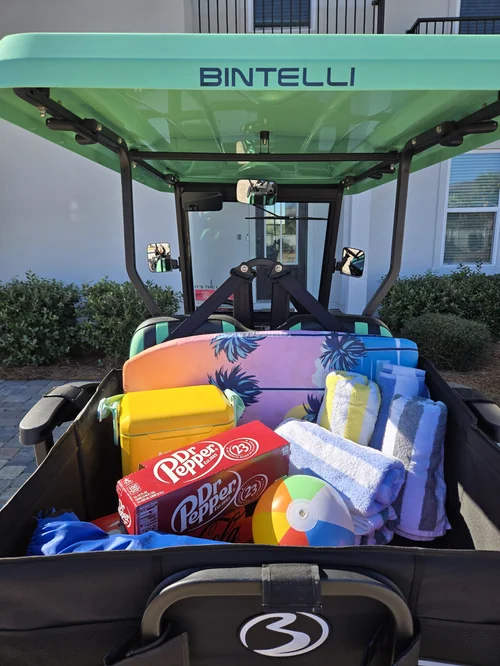
Beach Better's optional storage box mounts to the back of your cart and turns it into a beach-day workhorse. The box swallows a cooler, towels for the whole group, sunscreen, beach toys, and a 12-pack with room to spare. It's the difference between juggling armloads at the parking lot and rolling up to your beach access ready to go.
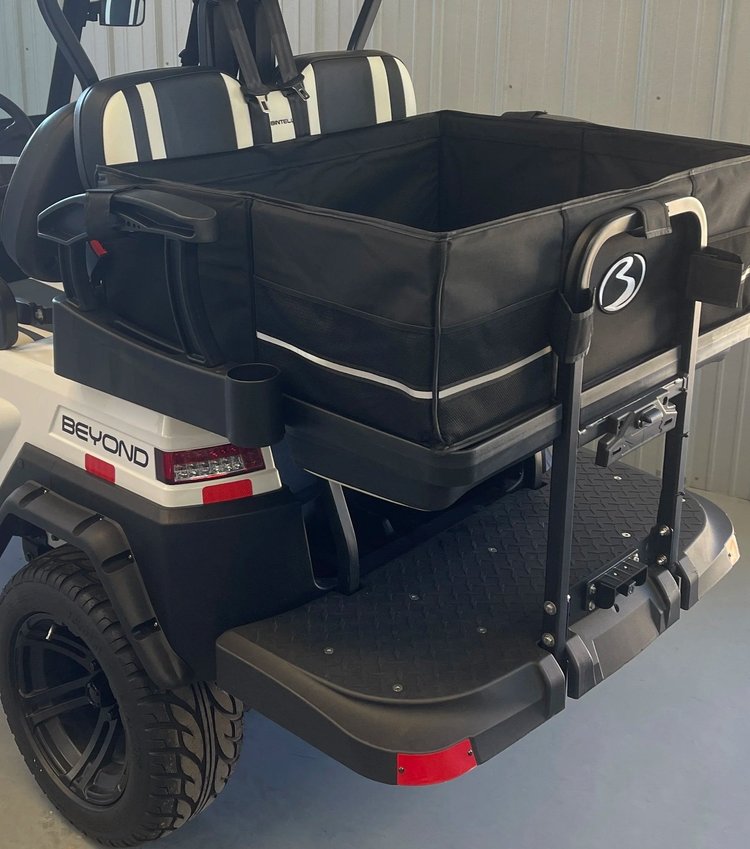
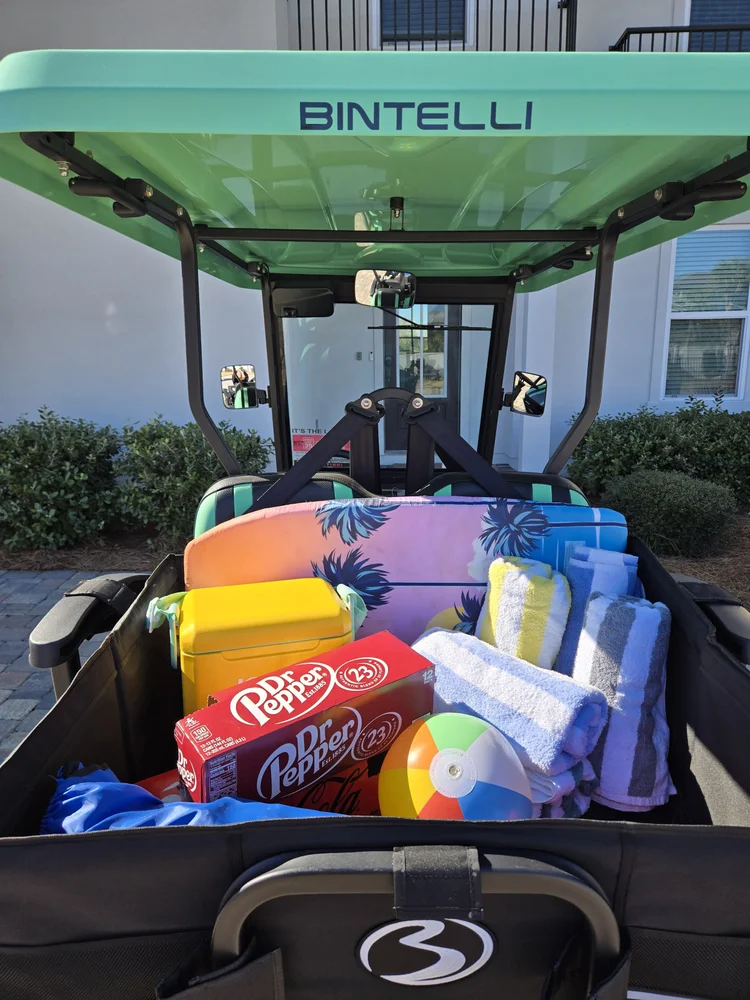
Add a storage box to your reservation online any time before pickup, add it to your booking here. No need to come by the store.
08
When you're done
- Secure the key in the lockbox. Place the key inside and scramble the numbers.
- Text us when it's ready for pickup. Text (850) 830-4699. We'll be there when the rental ends or shortly after, depending on the driver's route.
09
Common questions
What do beach flag colors mean for golf cart renters?
Beach flag colors indicate water and weather safety conditions along the Emerald Coast. Green means calm conditions; yellow means moderate surf or currents; red means high hazard surf and swimming is dangerous; double red means the water is closed to swimming. While flags primarily govern swimming, severe weather that prompts red flag conditions can also create strong wind and sudden rain that affects open-air LSV driving, use caution.
Are golf cart rentals accessible for passengers with limited mobility?
Non-lifted Beach Better rental carts have the lowest step-in height and are the most accessible option for passengers with limited mobility. The seats are at a comfortable height for most adults once inside. Passengers who use mobility aids should note that carts do not have ramps or wheelchair tie-downs, Beach Better recommends calling to discuss specific needs before booking.
10
If something's off
Engine sputters or won't start
Make sure you have at least a quarter tank. If the gauge reads low, the cart may stall before fueling resumes, refuel at the nearest station. Always use regular unleaded.
 Add On
Add A Storage Box
Cooler, towels and chairs off laps and locked in back. Add it online before pickup.
Add Storage Add On
Add A Driver
Two are included. Anyone else is $15 and e-signs online before they take the wheel.
Add DriverText (850) 830-4699 with any question before you drive. We are at 76 N Holiday Rd, Miramar Beach, FL 32550, next to the Cumberland gas station, and at Rentals@alwaysbeachbetter.com.