The Low Lime One
4LB12L Lime Green 4 Seat Electric Golf Cart Rental Guide, Miramar Beach
Bright lime, four seats, lithium, and it sits low rather than lifted. That last part is the reason people ask for this one: a short step in, an easy hand out, and a lower center of gravity that behaves better in a corner. Silent electric drive, glow lights, Bluetooth, and a Florida tag that puts it on real roads.
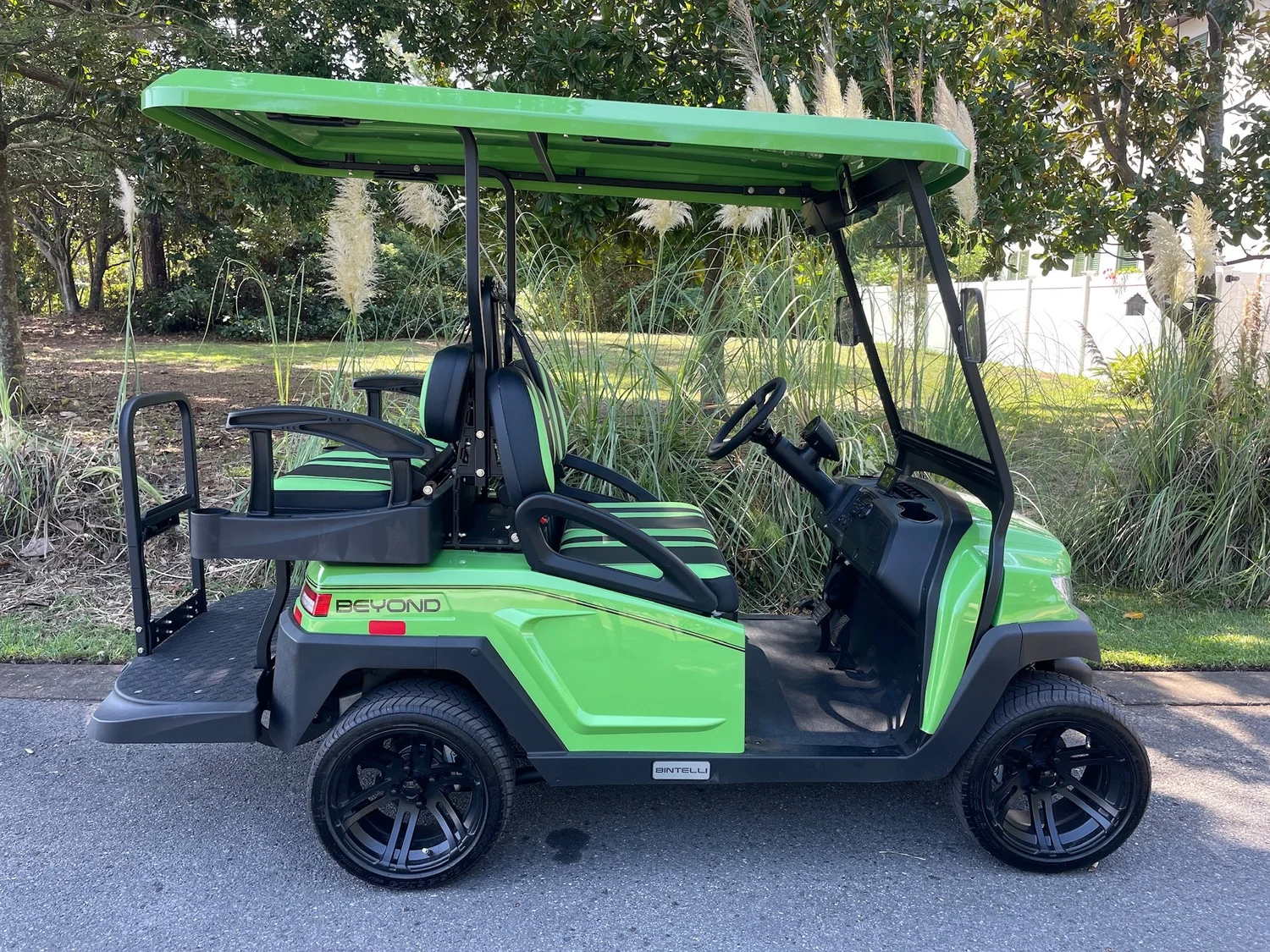
Unit 4LB12L. Easy to spot, easy to climb into.
01
Why Low Beats Lifted For A Lot Of Groups
Lifted carts look great and they get booked on looks. Low carts get booked by people who have loaded a toddler, a beach bag and a grandparent into one in the same trip. 4LB12L is the low one, and it earns that place three ways.
- Short step in and out. Nobody is climbing. That matters at the end of a long beach day when everyone is sandy and tired.
- Lower center of gravity. It leans less in a corner than a lifted cart. Still not a car, but the physics are on your side.
- Easier to load. Coolers and chairs go in at waist height rather than over a lip.
Lower is steadier, not immune
A Low Speed Vehicle still weighs a fraction of what a car weighs and still rides on a narrow track, so it tips rather than slides when you push it. The sideways force in a turn roughly quadruples when you double your speed. Rollovers come from turning too fast, swerving suddenly, or catching a curb, a soft shoulder or sand in the middle of a turn. Brake before the corner, roll through it, straighten, then accelerate.
No airbags, no crumple zones, no doors, no roof cage. The seat belt is the entire safety system, and an unbelted rider can come out in a stop a car would shrug off.
02
The Rules, Once, Plainly
- Four seats, four belts, four riders. Kids counted the same as adults. No laps, no standing, nobody on the back step while it is moving, hands and feet inside.
- Approved drivers only. 22 or older, valid license, active auto insurance in their own name, listed and approved on the signed agreement before the rental began. That is who gets the lockbox code. Anyone else driving is prohibited use, which voids coverage and shifts responsibility to the renter.
- Car seats come with you. Florida Statute 316.613 requires a child through age 3 in a separate carrier or an integrated child seat, and a booster does not satisfy it. A child aged 4 or 5 needs a carrier, an integrated seat, or a booster.
- Phone down while moving. Handheld and hands free are both prohibited in motion. Stop somewhere safe and lawful first.
- Florida DUI law applies exactly as it does to a car. Pick the driver before dinner, not after.
- Walk around it before the first drive. Tires, belts, lights, body. Text a photo of anything wrong to (850) 830-4699. If there is a crash: 911, stay at the scene, report it, then text us.
Everything else is in the agreement
Fees, damage terms, prohibited uses and the cancellation policy are in your signed agreement and in the Terms, Conditions and Policies. Road law is on the Florida Golf Cart And LSV Laws page. This page is part of the Renter Guide your agreement references. It was sent to you in writing at booking and again the day the rental began, and every approved driver is expected to read it before driving.
03
Key, Then Go
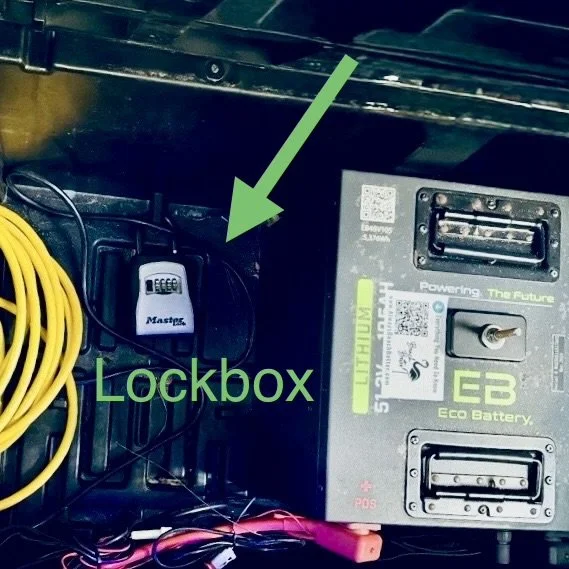
The lockbox sits under the front seat, beside the battery, and the seat lifts on its armrest.
- Lift the front seat by the armrest. The cushion swings up and the box is right there.
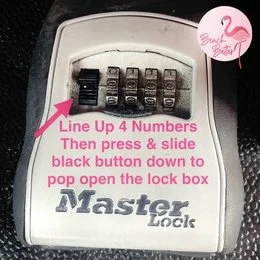
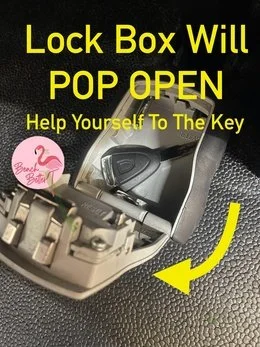
- Line the four digits up straight, then slide the black button down. The lid pops and the key is inside. Close the seat before anyone sits on it.
- Tow switch on RUN. Near the battery under the seat, or passenger side by the glovebox. On TOW the cart is dead on purpose.
- Key twice to the right. One click lights the dash, two clicks wakes the drive. One click is why most carts seem broken.
- F or R at a complete stop, then ease onto the pedal. Instant, silent torque. Give it the first block.
No code, and no park gear
Codes go to the primary driver by text and email at the start and by email again the night before, and only to drivers approved on the agreement. Check spam, then check with whoever booked. Separately, nothing holds this on a slope but the parking brake, so set it every time you step out and take the key.
04
Charging, And The Gauge
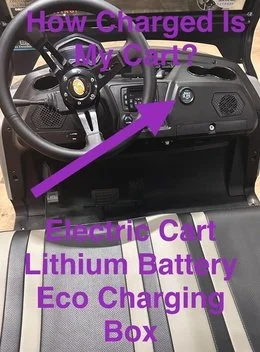
Lithium ECO battery. Standard wall outlet, every night, roughly eight hours from low to full, and plug in any time it is parked at the house. The round gauge sits near the glovebox on the passenger side and reads honest through the whole pack.
- Plug in nightly, even after a two mile run. Habit beats memory on vacation.
- One outlet per vehicle. Two on one circuit trips the breaker overnight.
- Older place, clear the circuit. Coffee maker and TV unplugged from that outlet first.
- Both cord ends glow when it is charging. Dark ends mean a dead outlet, not a dead cart.
- The cord rides with the vehicle. Left at the condo, it becomes a $200 tow the first time you run low.

Back at 90 percent or better, plugged in
House rule on every electric in the fleet, and under 90 percent is a $100 charge. Lithium holds steady then falls away fast at the bottom, so half a gauge is your turnaround point, not a reserve.
05
Glow And Sound
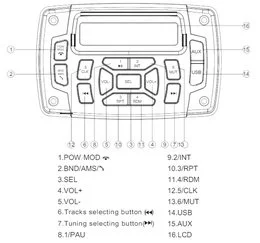
Wake the dash with the key, then press Power on the small silver remote tethered to the dashboard. Mode runs solid, seven chase patterns, pulse, scan, strobe, fade, S.O.S and music or voice reactive modes. Color covers red, hot pink, pink, purple, orange, yellow, green, teal, blue, white and two cycling options. Speed has five levels.
Remote clicking, nothing glowing
Black switch with a blue indicator, low on the dashboard. Flip it ON, because that switch feeds the glow system. Still dark, confirm the dash itself is lit. Leave the other toggles alone.
Glow lights are decoration. After sunset your headlights, tail lights and blinkers are what keep you legal and visible. For music, key to on, open Bluetooth on your phone and select this cart's speaker. Keep it low enough to hear a siren, and turn it down through the neighborhoods at night.
06
Where It Can Legally Go
4LB12L is titled, tagged and insured as a Low Speed Vehicle under Florida Statute 320.01 and 49 C.F.R. 571.500, and Florida Statute 316.2122 puts it on public roads posted 35 mph or less. That is Scenic Gulf Drive through Miramar Beach and Destin, County Road 30A through Santa Rosa Beach, and the neighborhood streets between them.
Never US-98 at any point, including crossing it anywhere other than a legal signalized intersection. Never sidewalks, beach walkovers, dune trails or the sand.
Communities write their own rules on private roads, and several along 30A and inside Sandestin do not allow rental vehicles at all. Check your address on the Neighborhood Rules page before you plan the day, park in marked spaces only, and never block a walkover, a bike lane, a crosswalk, a hydrant or a driveway.
07
AirTag, Start And Finish
Every vehicle carries an Apple AirTag that cannot be removed, which is how we find you fast when you need help. If your phone flags an unknown AirTag traveling with you, that is ours, and the ID on the windshield tells you which vehicle it belongs to.
It arrives clean and charged by your start time, sometimes early, because drivers route by geography rather than the clock. Early is yours to use. If nobody is home we park it neatly out of the way.
- Charge to 90 percent or better and leave it plugged in. Under 90 is a $100 charge.
- Key back in the lockbox, digits scrambled. Cord back in the vehicle.
- Text (850) 830-4699 when it is ready. We come at the end of the rental or shortly after, depending on the route.
Charges worth dodging: key or remote $50, cord $50, stranded tow $200, late return $100 an hour, citations passed through plus $35 admin. The rest is in the Terms.
08
If Something Is Off
Will not charge
Cord ends dark, go to the breaker. A tripped GFI is nearly always the answer. Reset, replug, watch for the glow. Still nothing, unplug for thirty seconds and retry. Two vehicles at the house means two separate circuits.
Will not start or move
Tow switch on RUN, key twice right, parking brake released, selector fully in F or R. Work that order before you text.
Anything that feels unsafe
Soft tire, steering that pulls, a brake pedal that goes long. Park somewhere safe and legal and text us instead of finishing the drive on it.
Photo first, then text
Nine times out of ten a quick picture or a ten second video sorts it out on the spot, and it is the first thing we will ask for anyway.
09
Questions Renters Ask
What is the difference between a 4 seat and a 6 seat golf cart rental?
A 4 seat cart has two rows of forward facing seats and carries up to four people. A 6 seat adds a rear facing third row and carries up to six. The 6 seat has a longer wheelbase, which rides a little smoother but needs more care in tight parking. Groups of five or more should book a 6 seat, because capacity is a legal limit, not a suggestion.
How far does a fully charged electric golf cart go?
A fully charged Beach Better electric rental runs about 20 to 22 miles, depending on how many people are aboard, the terrain, your speed and how hard the lights and sound are working. That covers a normal day around Miramar Beach or a run along 30A and back, as long as it is plugged in every night.
Is a non lifted golf cart better for kids and grandparents?
Usually yes. 4LB12L sits low, so the step in and out is short and nobody has to be hoisted. The lower center of gravity also makes it steadier in a turn than a lifted cart. If your group has toddlers, car seats or anyone who needs a hand, this is the configuration to ask for.
Where do I check the battery on this cart?
The round ECO gauge near the glovebox on the passenger side. Lithium reads honest all the way down, so trust it, and glance at it before you head out rather than on the way home.
Is 4LB12L street legal in Florida?
Yes. It is a Low Speed Vehicle under Florida Statute 320.01 and 49 C.F.R. 571.500, carrying Florida plate 57BMLB, a VIN, a title, current registration and insurance. Florida Statute 316.2122 permits it on public roads posted 35 mph or less. It is never permitted on US-98.
Who is allowed to drive it?
Approved drivers only: 22 or older, valid license, active auto insurance in their own name, and listed and approved on the signed rental agreement before the rental begins. Two are included and each additional driver is $15, approved online in advance. Lockbox codes go only to approved drivers.
Insurance, in plain English
Your own auto policy does the heavy lifting. Florida Statute 627.7263 makes an authorized rental driver's liability and personal injury protection coverage primary to the limits state law requires, which is why every approved driver must carry it in their own name. You attest to that when you sign, and Florida Statute 668.004 gives that electronic signature the same force and effect as a written one. Renter's Collision Protection is optional at $39.50 per driver per day with a $500 deductible, detailed on the Renter's Collision Protection page. The rest of the fine print is in your agreement and in the Terms, Conditions and Policies.
 Add On
Add A Storage Box
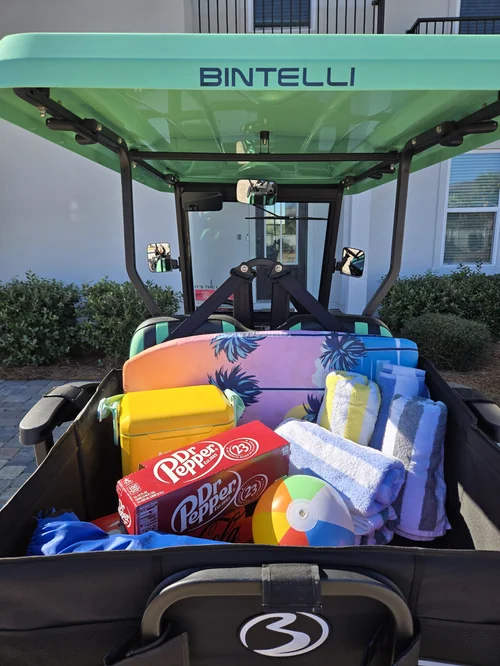
Low body, easy loading, and a locking box in back means the cooler is not riding on a lap.
Add Storage Add On
Add A Driver
Two are included. Anyone else is $15 and e-signs online before they take the wheel.
Add DriverText (850) 830-4699 with any question before you drive. We are at 76 N Holiday Rd, Miramar Beach, FL 32550, next to the Cumberland gas station, and at Rentals@alwaysbeachbetter.com.